
How to Deposit via GCash on Lucky King: ₱100 Minimum Cash-In Steps & Avoiding Expired QR Code Delays
GCash QRPh is the fastest way to fund a mobile gaming session in the Philippines, normally crediting in under 30 seconds. However, on the platform, skipping one step in the GCash QR deposit flow - such as reusing an expired QR screenshot - can leave your peso transfer floating in manual reconciliation for hours.
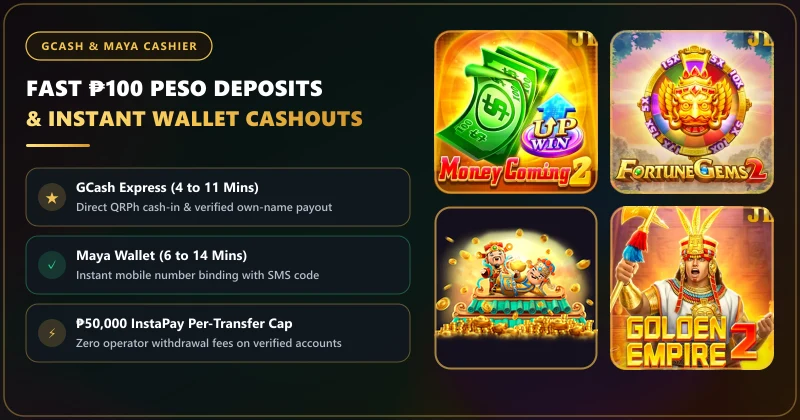
Every GCash deposit request generates a single-use dynamic QRPh payment order valid for 5 to 10 minutes. Minimum deposits start at ₱100 (or ₱50 during select micro-channel windows), and standard raw deposits carry a mandatory 1x turnover before withdrawal. Always generate a fresh QR code from the cashier for every cash-in and save the 13-digit GCash Ref No. screenshot until the balance reflects.
The Four-Step Single-Device GCash QRPh Workflow
Because most Filipino players open both the casino lobby and the GCash app on the exact same smartphone, you cannot point your phone camera at your own screen. Follow this exact 4-step workflow to complete a single-device QRPh cash-in without triggering a session timeout:
- Select a Clean Payment Channel in the Cashier: Tap Deposit, select GCash / QRPh, and enter your amount (minimum ₱100 recommended). If the top channel says "Busy" or takes longer than 5 seconds to load, switch to the secondary GCash gateway channel immediately.
- Download or Screenshot the Dynamic QR Code: Once the payment gateway generates your unique QR code, tap Save QR (or take a clean screenshot). Note the countdown timer on the payment page - you have 5 minutes to complete the scan.
- Upload Inside GCash QR Scanner: Open your GCash app, tap the center QR icon at the bottom, tap Upload QR from your photo gallery, and select the screenshot you just took.
- Confirm Exact Amount & Return to the Tab: Verify that the peso amount matches your order down to the centavo, tap Pay, screenshot your 13-digit GCash Reference Number, and switch back to the casino browser tab for 10 seconds so the callback webhook updates your header wallet.
Three Mistakes That Cause "Deducted From GCash, Not Credited" Delays
During our Pasig City cashier audits, nearly 100% of delayed GCash deposits traced back to one of three avoidable user errors:
| Common GCash Deposit Mistake | What Happens on the Payment Gateway | How to Fix or Prevent It |
|---|---|---|
| Reusing an Old QR Screenshot From Gallery | Each QRPh code is tied to a one-time merchant order ID. Paying an old QR sends money to an expired order! | Delete every QR screenshot from your phone gallery right after the deposit credits. |
| Editing the Peso Amount Inside GCash | If you request ₱200 in the cashier but manually type ₱100 or ₱250 inside GCash, automated matching fails. | Never alter the pre-filled QRPh amount; cancel and create a new order if you want a different amount. |
| Closing the Browser Tab During GCash Redirect | Closing the payment tab before the redirect webhook finishes delays automatic wallet syncing by 5-15 mins. | Keep the payment tab open in the background while approving the MPIN inside GCash. |
What to Do If Your GCash Deposit Takes Longer Than 10 Minutes
First, do not submit a second deposit on the same gateway channel while the first one is still uncredited. Wait 5 minutes, pull down to refresh your wallet balance, and check your Transaction Record tab inside the cashier.
Fast Manual Credit Packet: If your balance still shows ₱0 after 10 minutes, open the 24/7 LiveChat widget or email [email protected] and send three items in a single message: (1) your registered 10-digit mobile number, (2) the exact deposit amount and timestamp, and (3) the uncropped screenshot of your GCash receipt showing the 13-digit Reference Number.
Step-by-Step GCash QRPh Deposit Protocol on Lucky King
Review the complete payment matrix in our GCash & Maya Cashier center or open the live deposit screen below. Remember to leave the "20x Promo Bonus" checkbox unchecked if you want the freedom to withdraw after a 1x play-through.
Lucky King GCash QRPh Deposit & Delayed Credit FAQ
Can I save a GCash QR code and pay it again tomorrow for a fast deposit?
Never! Every GCash QRPh code generated by the cashier is a dynamic, single-use order token that expires after 5 to 10 minutes. Paying a saved QR code from yesterday will cause your funds to require manual customer support tracing.
What is the minimum GCash deposit amount in PHP?
Standard GCash QRPh channels accept a minimum deposit of ₱100, with select micro-deposit gateways occasionally allowing ₱50 cash-ins.
Does the casino charge a fee on GCash deposits?
No. The platform credits 100% of your GCash deposit amount (₱100 deposited = ₱100 in your main wallet), subject only to the standard 1x anti-money-laundering turnover requirement before cashout.