
Fixing Stuck or Rejected Withdrawals on Lucky King: Unfinished Bet Tasks, Name Mismatches & Gateway Maintenance
Nothing spikes a player's blood pressure faster than watching a peso cashout sit on "Pending" or "Under Review" for more than 20 minutes. Based on our diagnostic testing of the the platform cashier, 95% of stuck withdrawals are caused by four specific system triggers that you can check and resolve yourself.
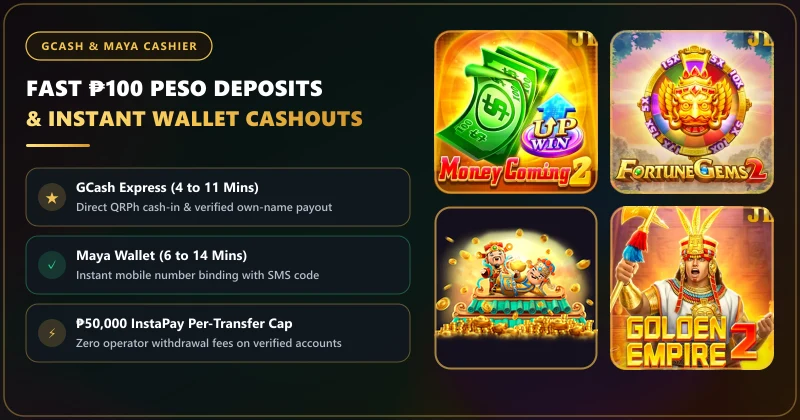
Normal GCash and Maya withdrawals (₱100 to ₱45,000) clear in 3 to 15 minutes. If a withdrawal stays "Pending" past 20 minutes, it is almost always blocked by one of four causes: (1) an unfinished 1x or 20x wagering requirement turnover meter, (2) a name mismatch between your profile and bound wallet, (3) an InstaPay/GCash gateway maintenance queue, or (4) exceeding your GCash ₱100k monthly incoming limit.
Status Decoder: What Each Cashier Label Actually Means
Before you panic or message customer support, open the Withdraw Record tab in your cashier and read the exact status badge next to your request. Each status points to a different stage of the payout pipeline:
| Cashier Status Badge | What Is Happening Behind the Scenes | Correct Player Action |
|---|---|---|
| Pending / Applying | Ticket is in the automated risk & wagering requirement turnover verification queue (0 to 5 mins). | Wait patiently. Do not cancel and re-submit, or you lose your queue spot. |
| Processing / Paying | Risk check passed! The order has been transmitted to the InstaPay / GCash / Maya gateway. | Money is on the rail (usually arrives within 2 to 10 minutes unless GCash is lagging). |
| Rejected / Returned to Balance | Payout failed due to unfinished turnover, name mismatch, or full recipient GCash limit. | Check the rejection note in your inbox, fix the cause, and submit a clean request. |
| Completed (But ₱0 in GCash) | Gateway marked the InstaPay transfer sent, but telecom/BancNet SMS notification is delayed. | Close and reopen GCash to check actual Transaction History (SMS alerts often lag by 15 mins). |
The #1 Cause of Rejected Cashouts: Unfinished wagering requirement Turnover
If your withdrawal switches from "Pending" back to your main casino balance within 2 minutes, check your Withdrawal Task / Audit meter right away. There are two separate turnover rules on the platform:
- Standard Raw Deposits (1x Turnover): If you deposited ₱500 without a bonus, you must place at least ₱500 in valid game bets before withdrawing. If you deposited ₱500, won ₱1,200 on your third ₱10 spin (only ₱30 in total bets), and immediately hit Withdraw, the system will block the cashout until you complete the remaining ₱470 in bets!
- Promotional Gifts & First-Recharge Bonuses (20x Turnover): As verified in the server's ₱13 sign-up bonus (20x wagering requirement) and First Deposit Bonus rules, claiming a promo locks your withdrawal button until the full 20x wagering requirement hits 100%.
How to Escalate a Withdrawal Stuck Past 30 Minutes
If your turnover meter shows 0.00 Remaining (Completed), your withdrawal is under ₱45,000, and the status has been stuck on "Pending" or "Processing" for more than 30 minutes, contact support with a structured ticket:
Support Escalation Template (LiveChat ID 19183162 or [email protected]):
1. Tap the 24/7 LiveChat icon in the lobby corner.
2. Provide your 10-digit registered mobile number and the Withdrawal Order ID / Timestamp.
3. Ask the agent: "Please check if the current GCash payment channel is under maintenance; if so, please return the pending ticket to my balance so I can withdraw via my bound Maya wallet instead."
Also remember that game providers occasionally take 60 to 90 seconds to settle the final round log when you exit a live table or arcade fishing room. Always return to the main lobby screen and wait 1 full minute after closing a game before tapping the Withdraw button.
Four-Point Diagnostic Checklist for Pending Cashouts on Lucky King
Review the complete payment guide in our GCash & Maya Cashier center or open your account dashboard below. Never cancel and re-submit a pending withdrawal every 3 minutes - doing so resets your ticket to the back of the payout queue!
Lucky King Pending Withdrawal & Rejected Cashout FAQ
Why was my withdrawal returned to my casino wallet after 3 minutes?
When a withdrawal is returned to your game balance within a few minutes, it almost always means either your mandatory 1x raw deposit turnover (or 20x promo turnover) is not yet 100% finished, or your bound wallet details failed automated verification.
Should I cancel a pending withdrawal and submit it again if it takes 15 minutes?
No! Canceling a pending withdrawal pulls your ticket out of line and places your new request at the very back of the queue. Wait at least 30 minutes before asking LiveChat to inspect the gateway channel.
What if the cashier says "Completed" but I didn’t get a GCash text message?
Globe and Smart SMS confirmation texts for GCash frequently lag by 15 to 30 minutes during peak evening hours. Open your GCash app directly and check your "Transactions" list - the peso credit often appears inside the app long before the SMS arrives.
Why did my turnover meter stop updating right after I exited a JILI slot?
Turnover audit logs sync from the game studio server back to the main cashier every 60 to 120 seconds. Exit the slot back to the main lobby, refresh your wallet once, and the completed bet volume will appear.